Packback offers several viewing options to help you write, revise, and review your Deep Dive essay with confidence. Whether you prefer a page-like layout, a flexible screen-responsive view, or a full document preview, you can choose the format that best supports your writing process. This guide walks you through all available viewing modes for both students and instructors.
Essay Editor Layout Options
Page View (Default)
In the past, the default view of your deep dive essay was this adaptive view, which would change the width depending on the screen space offered while this is still available, the default is now this page view. Page View displays your essay as it would appear on an 8.5" x 11" US Letter page. You’ll notice:
- Text formatted to reflect printed page dimensions
- A visual line marking where each new page begins
- Consistent layout regardless of your screen size
To support Page View on smaller screens, the Real-Time Feedback sidebar automatically reduces in size so your document remains readable.
Adaptive View
Adaptive View adjusts your essay’s width to fit your screen. This is helpful if you prefer a dynamic, space-efficient layout.
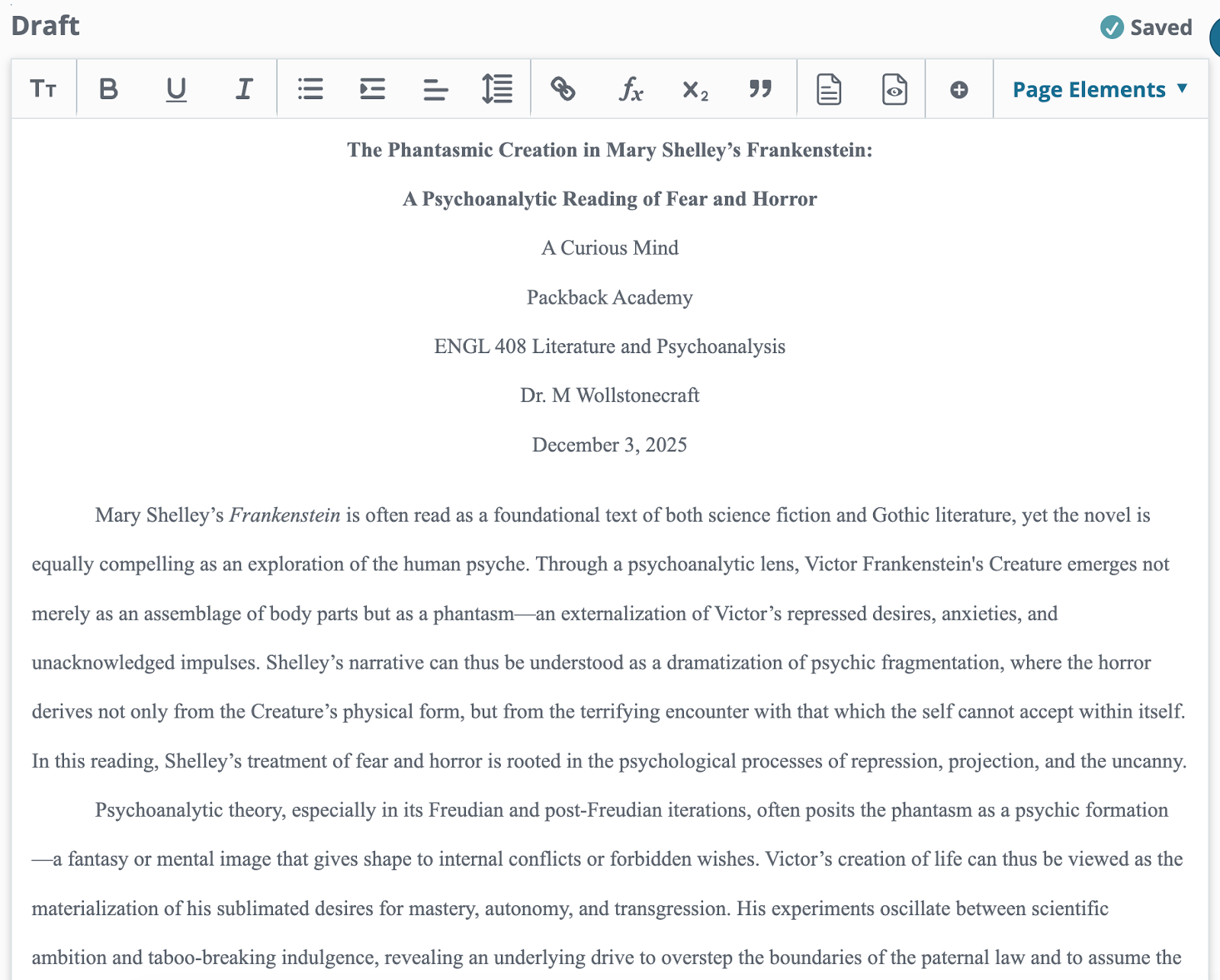
Switching Views:
Click Toggle Page View in the toolbar to switch between Page View and Adaptive View at any time.
Document Views: Document Preview & .docx Download
While Page View gives you a close approximation of how your essay appears on paper, sometimes you need a more detailed look. For that, use Document Preview.
Document Preview
Document Preview offers:
- A high-level look at your essay as it will appear when printed or downloaded
- Optional View Settings to zoom in or adjust how many pages you view at once
- Accurate display of formal elements such as:
- Title pages
- Running headers
- Page numbers
- Fonts and Font Sizes
- Line Spacing
- Indentations
- and more!
These elements may appear more clearly in Document Preview than in Page View.
From the Document Preview pop-up, you can download a .docx file of your essay. All formal elements (headers, running head, page numbers, etc.) are preserved in this downloaded version.
How Your Instructor Views Your Essay
Instructors evaluating Deep Dive submissions have access to all viewing modes:
- Adaptive View
- Page View
- Document Preview
- .docx download
Our formatting and editing tools were designed to help you prepare your essay according to typical MLA, APA, and Chicago style standards. The Adaptive and Page view are helpful for navigating writing in digital space, while the Document Preview and the .docx download provide visuals for instructors who value formatting as it appears on physical paper.
Still Have Questions?
If you have any other questions or concerns, feel free to reach out to our Support Team by filling out our Request Form.